


TurboTax: File Your Tax Return
4.064.95K Reviews
App Specs
- Version
- 12.5.0
- Updated On
- License
- Free
- Downloads
- 10,000,000+
- Developer
- Intuit Inc
- Categories
- Finance
- Platform
- Android, iOS
Screenshots






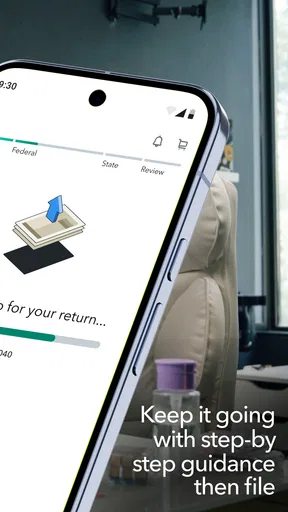

 Analysis by AppCompare
I usually judge a tax app by one question: does it make the filing process easier to follow without encouraging me to rush through details that matter? TurboTax: File Your Tax Return is built around guided filing, and that focus shapes the experience. Rather than presenting tax forms as a blank page, it leads you through questions and uses your answers to organize the work. For someone who finds tax language intimidating, that can make a difficult task feel more manageable. It does not remove the need to check your information carefully, though. Guidance is useful when it helps you understand what you are entering, not when it tempts you to stop thinking.
A question-led approach to filing
TurboTax is a finance app from Intuit Inc, and its central appeal is the step-by-step route through preparing a tax return. The app’s questions are intended to shape the filing experience around a person’s circumstances, rather than asking everyone to approach the same set of forms in the same way. In practical terms, that gives a first-time filer a more approachable starting point and gives a returning filer a familiar structure for reviewing the year’s information.
I find that this kind of guidance is most valuable at the points where people tend to hesitate: deciding which documents matter, understanding what a question is asking, and keeping track of information that belongs in different parts of a return. It can make the process feel less like a pile of unfamiliar paperwork. But a guided path is only as accurate as the answers and documents supplied to it. I would still pause over any answer that does not clearly fit my situation instead of choosing the closest-sounding option just to move forward.
How that guidance fits an ordinary filing session
A realistic use case is someone setting aside an evening to work through tax documents after collecting them over several weeks. They can open the app, move through its prompts, and deal with one topic at a time rather than trying to understand an entire return before starting. If a document is not nearby, it is sensible to stop and retrieve it instead of estimating. That small habit matters: a friendly interface can reduce friction, but it cannot make missing or incorrect information harmless.
The app is free to download, and it is rated for Everyone. Its current version is 12.2.1, with a minimum operating system requirement of 10. It has a 4.1 average from around 320,000 ratings, and more than 10 million installs. Those figures suggest that it is a widely used option, but they do not tell me whether it suits a particular return. The more useful question is whether the guided process matches the complexity of your taxes and whether you are comfortable reviewing the result before filing.
Where the guided format helps—and where to slow down
For a straightforward filing, a question-led process can be less intimidating than starting with tax forms or trying to interpret every line on your own. It also offers a clear sequence, which is handy when you are interrupted and need to return to the task later. My practical tip is to gather relevant paperwork first and keep a short note of anything you need to verify. That way, the app’s prompts support an organized review rather than becoming a substitute for one.
There is a trade-off. A guided interface can make the journey feel simple even when the underlying tax question is not. If a prompt seems ambiguous, or if your circumstances do not fit the choices neatly, I would not treat the app’s next button as a recommendation to guess. Complex or unusual situations may call for advice from a qualified tax professional, or for filing software that gives you more direct control over forms and calculations. The convenience of guided questions is strongest when your answers are clear.
Worth Reading Before You Choose

EA SPORTS FC Mobile 26 Is a Bigger Football Game, but It Takes Time

Flipboard Shows What News Apps Must Do Beyond the Feed

Switching to Android Auto Means Rethinking Your Driving Routine

Google Calendar Makes a Crowded Week Easier to Manage

Ludo King Makes the Most of the Minutes Between Plans

Baby Panda World Brings Quick Play to Modern Phones, but Its Game Library Feels Busy
TurboTax has been available since December 18, 2014, and its publisher is Intuit Inc. I see its established presence and large audience as reasons many people may feel comfortable exploring it, not as guarantees that every feature or outcome will fit them. Tax rules and personal situations differ, so it is worth checking the current filing options and any costs shown in the app before committing to a particular route.
Getting Started with TurboTax
First things first, downloading the app was a breeze. I hopped onto the App Store, typed in TurboTax: File Your Tax Return, and boom – it was ready to go. The app has a clean and intuitive interface, which I appreciate. You know how some apps just make you feel like you're deciphering hieroglyphs? Not this one. It’s pretty straightforward.
Once you open the app, you're greeted with a friendly setup process. It asks you a series of simple questions to tailor the experience to your personal needs. Whether you're a student, a freelancer, or running a small business, TurboTax seems to have a handle on it.
Features That Stand Out
One of the things I loved about TurboTax is its ability to import last year's tax data. If you’re like me and can’t remember where you stored your last tax return, this feature is a lifesaver. It automatically pulls in your W-2s and 1099s, saving you a ton of time and hassle.
Then there's the live support feature. You get access to real tax experts who can answer your questions in real-time. I had a couple of questions about deductions, and the experts were super helpful. It's like having a personal tax advisor right in your pocket.
- Simplified Filing Process
- The step-by-step guidance makes filing your taxes much less daunting. It’s almost like having a GPS for your taxes.
- Photo Snap Feature
- You can snap a photo of your W-2, and the app automatically enters the data for you. Say goodbye to manual data entry!
- Comprehensive Audit Support
- TurboTax offers audit support if the IRS comes knocking. They guide you through the process, which is a huge relief.
What’s the Catch?
Now, no app is perfect, right? While TurboTax offers a free version, some of the more advanced features come with a price tag. If your tax situation is a bit more complex, you might find yourself needing to upgrade to a paid version. However, considering the peace of mind it provides, it might just be worth the investment.
Another thing to note is that while the app is pretty user-friendly, the initial setup can be a bit overwhelming, especially if you’re not tech-savvy. But once you get past that, it’s smooth sailing.
Choosing it over other filing routes
Compared with preparing a return by hand, TurboTax’s guided approach can save you from having to navigate unfamiliar forms without direction. Compared with a tax professional, it puts more responsibility on you to enter and review your own information, even where help is available. A different filing app may be a better fit if its pricing, supported situations, or preferred workflow suits you more closely. I would compare the actual filing options shown to me, not assume that a free download means every return can be completed without a charge.
Before starting, I would also think about how I want to handle records. Tax documents can contain sensitive personal information, so I prefer to work somewhere private, keep my papers together, and review entries against the original documents as I go. If I use a photo-based entry option, I would check the captured details rather than assuming every character was read correctly. These are small steps, but they reduce the chance that convenience turns into an avoidable correction later.
Who is likely to get the most from it?
I can see this being a good fit for people who want prompts to keep a familiar filing task organized, especially if they are comfortable gathering documents and answering questions carefully. It may also suit someone who has delayed filing because the process feels confusing: getting started one prompt at a time can make the first step less daunting. The app’s overall audience is broad, but the best match is still a person whose tax circumstances fit the available filing paths and who is willing to check the completed return.
I would be more cautious if I had a complicated situation, unusual income, or uncertainty about how a tax rule applies to me. In those cases, software guidance may help organize facts, but it should not be mistaken for individualized professional judgment. I might use an expert or another filing method with more direct assistance instead. Likewise, someone who dislikes handling financial information on a phone may prefer a different way to prepare and review a return, even if the mobile workflow itself is convenient.
What’s the Catch?
Now, no app is perfect, right? While TurboTax offers a free version, some of the more advanced features come with a price tag. If your tax situation is a bit more complex, you might find yourself needing to upgrade to a paid version. However, considering the peace of mind it provides, it might just be worth the investment.
Another thing to note is that while the app is pretty user-friendly, the initial setup can be a bit overwhelming, especially if you’re not tech-savvy. But once you get past that, it’s smooth sailing.
For me, the sensible way to approach the app is to treat the early questions as a sorting process, not a promise that every case will follow a simple path. If the answers lead toward a paid option, I would stop and decide whether the added help is worth it for my return before proceeding. If I cannot confidently answer a question, I would gather the relevant paperwork or seek guidance rather than relying on a guess. That is a better safeguard than assuming a polished flow automatically means a filing is complete.
Final Thoughts
All in all, TurboTax: File Your Tax Return is a solid choice for anyone looking to simplify their tax filing process. It’s packed with useful features, offers excellent support, and makes tax season a little less dreadful. If you're looking for an app that can handle your taxes with ease, give TurboTax a shot. Who knows, it might just change the way you feel about tax season!
So, are you ready to tackle your taxes with more confidence? Download TurboTax and let it do the heavy lifting for you. Happy filing!
Pros
- Easy-to-follow interface for beginners.
- Supports a wide range of tax situations.
- Max refund guarantee for peace of mind.
- Access to helpful tax advice and tips.
- Secure data encryption for user safety.
Cons
- Some features require additional fees.
- Occasional glitches in the mobile app.
- Limited free version for complex returns.
- Customer support can be slow at times.
- Requires internet connection to use.
FAQs for TurboTax: File Your Tax Return
What platforms is TurboTax available on?
TurboTax is available for both Android and iOS devices. Users can download it from the Google Play Store or Apple App Store. The app is designed to offer a seamless experience on mobile devices, allowing users to file taxes directly from their phones or tablets with ease.
Is TurboTax secure for filing my tax return?
Yes, TurboTax employs advanced encryption technology to ensure your personal and financial information is safe and secure. The app is designed with multiple layers of protection and is compliant with industry standards, providing users with peace of mind when filing their taxes electronically.
Can I use TurboTax if I have complex tax situations?
TurboTax caters to a wide range of tax situations, from simple returns to more complex cases involving investments, rental properties, or self-employment income. The app offers different versions tailored to various needs, ensuring you can find the right solution for your particular tax situation.
What kind of customer support does TurboTax offer?
TurboTax provides extensive customer support, including live chat, phone support, and an extensive knowledge base. Users can access expert help from tax professionals within the app, ensuring that any questions or issues encountered during the filing process are addressed quickly and accurately.
Is TurboTax free to use?
TurboTax offers a free version for simple tax returns. However, for more complex filings, such as those involving deductions, credits, or self-employment income, users may need to purchase one of the premium versions. Each version is designed to accommodate different tax filing needs, ensuring users get the most accurate return possible.


